






QuickBooks Online vs Desktop: Which One Is Right for Your Small Business?
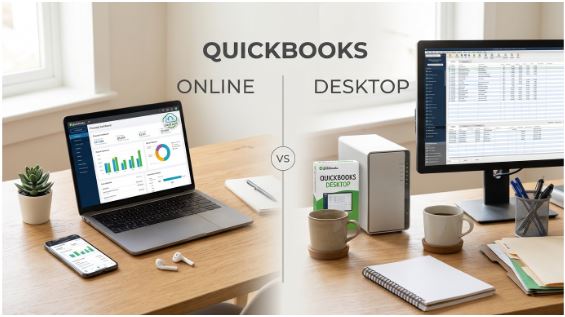
If you’re deciding between QuickBooks Online and QuickBooks Desktop, the short answer for most small businesses in 2026 is Online. Intuit stopped selling new Desktop Pro Plus and Premier Plus subscriptions in September 2024, and its newer AI tools, including Intuit Assist, are built into the online product. Desktop still makes sense for some businesses, especially those that depend on heavy inventory tracking or manufacturing features. This guide walks through the differences, what each option costs, and how hard the switch really is, so you can decide based on your own books.
What is the main difference?
The biggest difference is where the software runs. QuickBooks Online lives in your web browser and on Intuit’s servers. You can log in from a laptop or phone, updates happen automatically, and your accountant can usually reach the same file without a separate setup.
QuickBooks Desktop is installed on a computer or server that you control. Your company file sits on that machine, and Intuit releases it in yearly versions. If more than one person needs to work in the file at once, you’ll need a network setup or a hosting provider that runs Desktop for you. Hosting adds a monthly cost and one more system to look after. Desktop keeps working when the internet drops, although features like bank feeds and payroll still need a connection.
What each version costs
As of October 2026, Intuit’s standard US list prices for Online are $38 a month for Simple Start (one user), $85 for Essentials (up to three users), $140 for Plus (up to five users), and $340 for Advanced (up to 25 users). Essentials, Plus, and Advanced went up for renewals billed on or after August 1, 2026. Simple Start stayed the same. Payroll is billed separately, so the plan price is rarely the full monthly cost. Intuit runs promotions from time to time and prices can change, so check its pricing page before you budget.
Desktop is no longer a one-time purchase. It’s sold by subscription, and Intuit raised renewal prices on several Desktop products effective February 1, 2026. Intuit stopped selling new Pro Plus, Premier Plus, and Mac Plus subscriptions to new US customers on September 30, 2024. Intuit’s own announcement covers the details. Enterprise is still sold, billed per user each year. Existing subscribers can keep renewing. For a small team, Enterprise usually costs more than Online once you add hosting.
Where Desktop still has the edge
Desktop Enterprise is built for businesses that handle a lot of inventory. It includes inventory assemblies, customer-specific pricing rules, and a deeper set of reports. Manufacturers and wholesalers often rely on those features every day.
QuickBooks Online has come a long way. The Plus plan includes inventory tracking, budgets, project profitability, and class tracking. It still lacks some of the deeper inventory and pricing functions found in Enterprise, so a business with complex stock or pricing rules may find it limiting.
Online is stronger on access. It connects to hundreds of third-party apps, works on any device, and needs no server to maintain. For a business with remote staff or an outside accountant, those points often count for more than any single feature.
Is it easy to switch from Desktop to Online?
The switch is doable for most businesses. Intuit includes a migration tool that moves a large share of your data. Customers, vendors, the chart of accounts, open invoices and bills, and account balances usually come across. Some items don’t, so it helps to know which ones before you start.
Bank and credit card connections don’t transfer for security reasons, so you reconnect them inside Online. Memorized reports, the audit trail, custom templates, and custom fields usually need to be rebuilt or left behind. Pending transactions don’t carry over because Online has no pending status. Payroll is the most common headache. Detailed payroll history often doesn’t move, so you may need to enter each employee’s year-to-date totals by hand before running payroll in Online. Intuit’s help article on what changes during a switch lists the details.
Preparation matters more than the tool itself. Back up your Desktop file to a separate drive. Clean up duplicate customer and vendor names, deal with old unreconciled transactions, and run the Verify Data utility from the File menu. If your file is very large, the import may hit size limits, and you may need to condense it or move only your lists and current balances. If that prep sounds like more than you want to take on, you can get help through our QuickBooks consulting services.
After the conversion, compare your key reports with the Desktop versions, starting with the profit and loss statement, the balance sheet, and the aging reports for receivables and payables. Expect a short learning curve too. Online’s screens and report layouts look different, so give your team a week or two to get comfortable before they send invoices from the new system. Only retire the Desktop file once the numbers match, and keep a copy for reference, since some historical detail stays behind.
Should you switch?
Switch soon if you’re on an older Desktop version. Intuit ended support for QuickBooks Desktop 2023, including Enterprise 23.0, on May 31, 2026. Once support ends, features that connect to Intuit’s servers stop working on that version, including bank feeds, payroll tax tables, and payment processing. Waiting only adds risk, so check your version first.
Switching also makes sense if your team needs to work from different places, your accountant already works in Online, or you’re paying for Desktop hosting and would rather not manage it. Try to plan the move for a quieter stretch of the year, not during a tax deadline or a month-end close.
Stay on Desktop for now if you run complex inventory or manufacturing, depend on an Enterprise feature that Online doesn’t match, or have years of messy data that would take weeks to clean up. In those cases a planned move later beats a rushed one now. At the time of writing, Intuit hasn’t announced an end date for Enterprise. Its timelines have changed before, though, so check Intuit’s service discontinuation page before you make a long-term plan.
Which one fits your business?
A solo consultant or a service business with two to five people will almost always be better served by Online. A contractor who tracks job costs may find Online workable on Plus, but should test the job reports before committing. A manufacturer or wholesaler with heavy inventory, assemblies, or custom pricing is the group most likely to need Enterprise.
Quick answers to common questions
What is the difference between QuickBooks Online and QuickBooks Desktop?
Online is cloud-based and billed monthly, with updates handled for you. Desktop is installed software that runs on your own computer or server. It is updated in yearly versions, and its Enterprise edition offers deeper inventory and reporting.
Is QuickBooks Online better than Desktop?
For most small businesses, yes. It’s easier to reach from anywhere, easier to share with an accountant, and cheaper to start. Desktop Enterprise is the better tool when inventory, pricing rules, or manufacturing workflows are central to how you run the business.
Is it easy to switch from QuickBooks Desktop to Online?
It’s manageable with preparation. Most lists, transactions, and balances move over. Bank connections, custom templates, and detailed payroll history need hands-on work. A clean backup, a data check, and a report comparison make the process much smoother.
Should I switch from QuickBooks Desktop to Online?
If your version is out of support, or you want remote access without paying for hosting, switching is usually the right call. If you rely on Enterprise-only inventory features, you can stay put for now, but plan the move before your version falls behind.
Getting help with the move
If you’re unsure which way to go, a bookkeeper or QuickBooks ProAdvisor can review your file and tell you what will carry over. BAS Business helps small businesses in Oregon and across the country with bookkeeping, cleanups, and QuickBooks migrations. Our bookkeeping services keep records accurate, so a switch starts from clean numbers. If you work in construction or the trades, our industries page is a good place to start. You can also book a free consultation to talk through your file.
For most small businesses, QuickBooks Online is the better long-term choice. It costs less to start and works from almost anywhere. Intuit’s reported results for the first nine months of fiscal 2026 show about $3.73 billion from QuickBooks Online Accounting, compared with about $1.27 billion from Desktop Accounting. Desktop Enterprise still fits businesses with heavy inventory needs or specialized workflows, and it’s worth keeping if it works well for you. Whatever you choose, plan the move around clean data, a full backup, and a careful report check. Preparation usually saves more time than it costs.